How to make the A2O LITE NEON AI dance
Make ours with photosThere are four ways to make the A2O LITE NEON AI dance: learn the routine and film it with a friend, prompt an AI video tool with a reference clip, use a NEON template site, or add one photo per dancer to the ready-made NEON duo here. Which one fits depends on what you have: time to rehearse, a clip and a prompt, or just two photos.
- One photo per dancer, no prompt
- Works in your browser, no app
- The song is in the video
4 ways to make the NEON AI dance
Each way asks for something different, and gives you a different video. Apps are named only as examples.
| Learn it and film itTwo people and a phone | Prompt + reference clipe.g. media.io | NEON template sitesTwo photos, no prompt | One photo per dancer (this site)You two in the NEON duoAdd our photos | |
|---|---|---|---|---|
| You supply | Two people who can learn the routine, a plain white wall and many takes | One photo per dancer, a reference clip you may use, and a prompt | Two photos | Two photos, one per role |
| The moves | As close as your rehearsal gets you | Copied from your reference clip | Depends on the site | The NEON duo opening, the same every time |
| The song | Add the official sound when you post | Not included; add it in an editor | Depends on the site | In the video |
| Video you get | Whatever you film | Depends on the model | Length and shape vary by site | 15 seconds, 16:9, 720p |
| Effort | Rehearse, then film until it works | Write a prompt, try a few times | Pick, upload, wait | Add photos, generate |
| Price | Your time | See the app's plans | See the site's plans | Packs from $9.90 (1 video), one-time |
Want the white-studio duo, with the two of you in it?
No rehearsal, no prompt, no editing.
Which way fits you?
Learn it and film it: you want the real thing
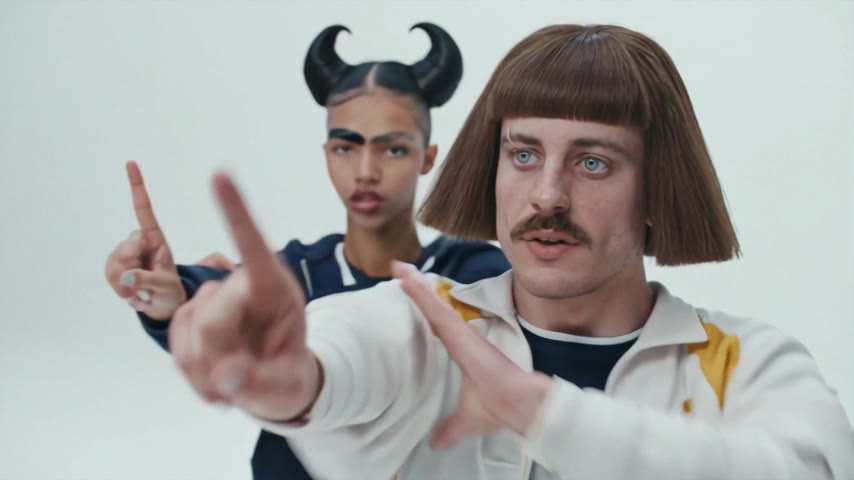
Nothing beats dancing it yourselves if you have the time. A plain white wall and a phone on a stand get you close to the set; the hard part is the opening, where the partner has to stay hidden behind the lead and step out on the beat.
Prompt + reference clip: you want your own take
Prompt pages such as media.io's build the dance from your photos, a reference clip you are allowed to use and a prompt. Good when you want a different set, outfits or camera. The song is not included, and public guides warn that two dancers can blur together, so expect a few tries.
NEON template sites: you want to compare options
Several sites now offer a NEON dance from two photos. They differ in length, shape (vertical or wide) and whether the song is in the video, so check those three before you pay.
One photo per dancer here: you want that exact opening
The NEON duo opening is already loaded: the solo start, the partner stepping out, the close-ups and the side-by-side routine, with the song. Add a photo for each of you, and the two of you dance it in the outfits from your photos.
NEON AI dance prompt tips for two dancers
If you go the prompt route, this is how public guides for the trend set the prompt up. Treat it as a starting point; we have not tested these prompts ourselves.
- 1
One photo per dancer
Give each dancer their own photo, one person per photo, full body or at least knees up. Skip sunglasses, masks and beauty filters.
- 2
Fix who is who
Name each dancer by their photo and their place in the routine, for example "Image 1 opens alone, Image 2 steps out from behind", and keep those names the same in every sentence.
- 3
Copy the moves, not the people
Tell the tool to take only the choreography and camera from the reference clip, so the original dancers' faces and outfits don't carry over.
- 4
Lock the outfits and the camera
Describe each person's outfit in the same words every time, and ask for a steady, front-facing, full-body camera in a bright white studio.
- 5
Say what to leave out
End with exclusions such as "no extra dancers, no merged limbs, no sliding feet, no outfit changes, no text or logos". Only use photos of yourself or adults who agreed.
Common problems and what guides suggest
These are fixes that public guides recommend, not results of our own tests.
The two faces mix up
Repeat each dancer's name and photo in every line of the prompt, and use photos where both faces are sharp and front-facing.
Hair or clothes blend between dancers
Choose photos with clearly different outfits or hair, and describe each one in the same words every time.
The partner shows up too early
Because the partner starts hidden behind the lead, a faint copy of them can appear in the opening. Say plainly that only the lead is visible until the partner steps out.
Still not right
Change one thing at a time and generate again. A small change is easier to judge than a full rewrite.
Making the NEON AI dance here in 3 steps
- 1
Decide who opens
The lead dances the opening alone; the partner steps out from behind and joins in. Either of you can take either role.
- 2
Add one clear photo of each of you
Use a photo with just one person in it, face toward the camera; a head-to-toe shot keeps your outfit right in the wide shots. Both roles need a photo.
- 3
Generate, then pick it up in My videos
Close the tab if you like. Your 15-second video shows up in My videos with the song, ready to download or share for 30 days.
Make your NEON AI dance
Add a photo for the lead and one for the partner, then press Generate. The white studio, the moves and the camera stay as they are.
Who dances
Add both photos
One person per photo, face clearly visible, full body if you have it. JPG, PNG or WebP up to 10 MB.
- No app
- No watermark
- Credits back if a video fails
Before you post
- 1
Pick the shape for where you post
Our video is 16:9, like the music video: it plays full width on YouTube and X, and shows with bars above and below on TikTok and Reels. Other ways may give you vertical 9:16, so check before you make it.
- 2
Name the trend in the caption
"A2O LITE NEON AI dance" or #neonaidance tells people which routine they are watching.
- 3
Switch on the AI label
TikTok, Instagram and YouTube all have a label for AI-made videos. Turn it on when you post.
- 4
Only use people who said yes
Yourself, or adults who agreed to be in it. No public figures, including the members of A2O LITE, and no one under 18.
Making the NEON AI dance: questions
Not here: each video uses 900 credits from a one-time pack, starting at $9.90 for one video, and the sign-up bonus doesn't cover one. Other apps have their own plans, so check their pricing pages. Filming it yourselves costs only your time.
Not here: the video is 16:9 only, like the music video. Some other ways give you 9:16. A 16:9 video still posts to TikTok and Reels, with bars above and below.
Not with one photo: NEON is a duo, so the lead and the partner each need a photo. You can put yourself in one role and a friend in the other.
Here, yes: the 15-second video comes with the song. With a prompt and a reference clip it usually isn't, so you add it in an editor or from the platform's sound library.
The CapCut templates we found under "neon" are glow-effect edit templates for your own clips. None we found puts two photos into the NEON white-studio duo.
Not here. One clear photo per dancer is all the generator needs.
Its credits go back to your balance automatically.